Developers using AI coding agents
You let Claude Code, Codex, Cursor, or OpenCode install whatever it needs. You want a safety net that does not slow you down or cry wolf.
A LOCAL SUPPLY-CHAIN FIREWALL
Computer Police is a local registry proxy that blocks
confirmed-malicious npm and pip installs
before they touch your disk. For developers, CI, and coding agents.
curl -fsSL https://computer.police.dev/install | bash
computer-police install
curl -fsSL https://computer.police.dev/install | bash
export PATH="$HOME/.computer-police/bin:$PATH"
computer-police install- name: Install Computer Police
run: curl -fsSL https://computer.police.dev/install | bash
- run: computer-police install
- run: npm ci # now behind Computer Police COMPUTER POLICE
npm install, pip install, or uv add from any of these routes through Computer Police first.
THE PROBLEM
Claude Code, Codex, Cursor, OpenCode, custom harnesses — they all
call npm install and pip install on your
behalf, dozens of times a day. You see the diff after the fact, if
at all.
npm and PyPI publish malicious packages on a steady cadence. Typosquats, hijacked maintainers, dependency-confusion. The window between publication and detection is small — but it is wide enough to compromise a laptop.
Audits, lockfile scans, and CVE dashboards see the package after it is already on disk and possibly already executed via a lifecycle script. The block has to happen at install time.
WHO IT'S FOR
You let Claude Code, Codex, Cursor, or OpenCode install whatever it needs. You want a safety net that does not slow you down or cry wolf.
Every PR runs npm ci, pip install, or
uv sync. You want supply-chain protection without
changing the build.
Devcontainers, remote VMs, GitHub Actions runners. Bake protection into the image once and forget about it.
HOW IT WORKS
One curl command. No root, no kernel extension, no system proxy.
curl -fsSL https://computer.police.dev/install | bashPoints your package managers at 127.0.0.1:4873. Reversible.
computer-police installAllowed installs pass through. Confirmed malware gets a 403.
$ npm install some-known-malicious-package@1.2.3
npm error code E403
npm error 403 403 Forbidden - GET http://127.0.0.1:4873/...
npm error 403 blocked by computer-police: OSV MAL-2026-XXXX

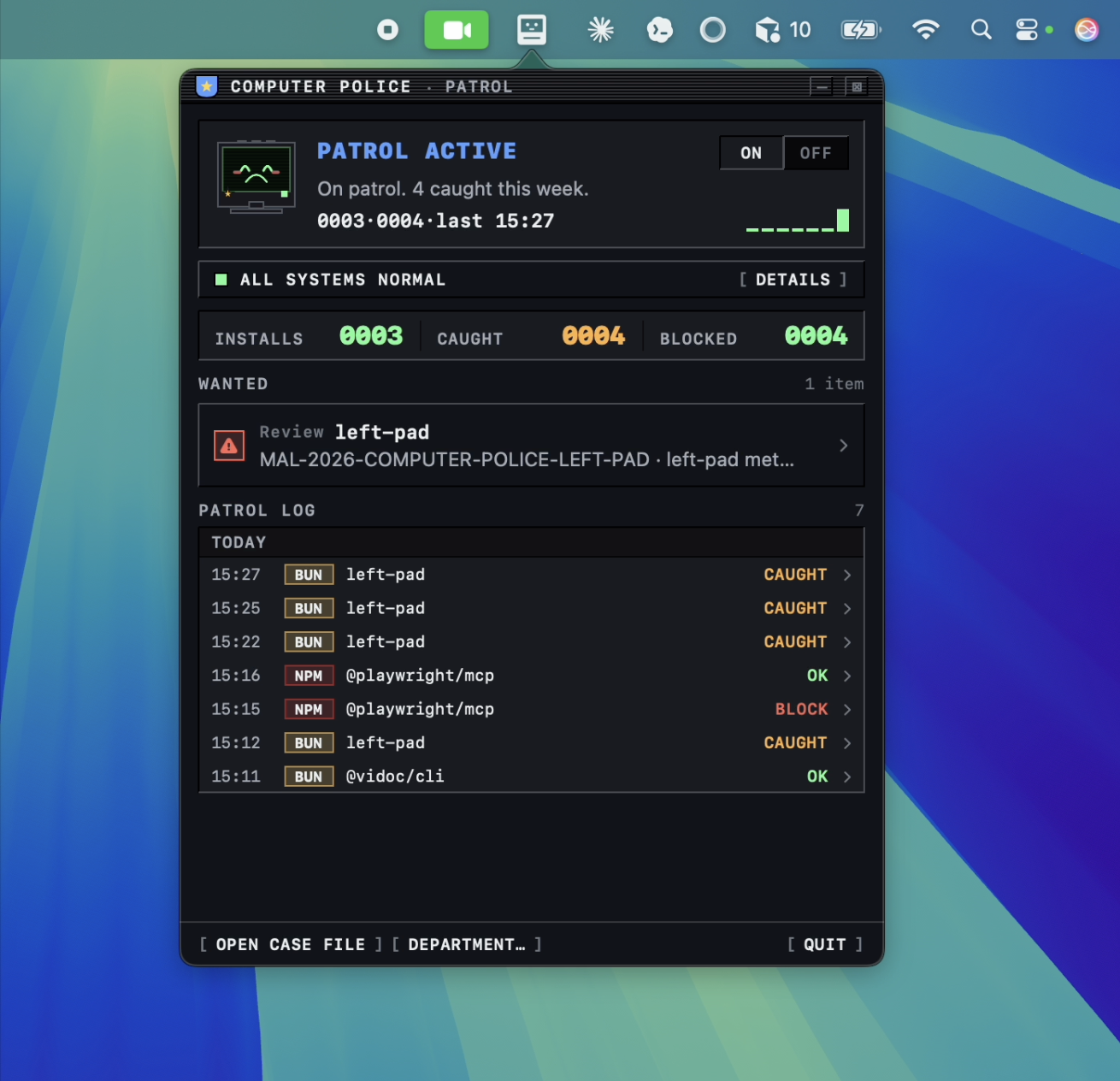
$ computer-police ledger list --limit 3
15:27  bun   left-pad                  CAUGHT
15:25  npm   @playwright/mcp           BLOCK
15:22  npm   react                     OK
DESIGN GOAL
If Computer Police blocks an install, the package version is already listed as malware by a public OSV advisory. No noise, no false alarms.
PRIVACY & TRUST
Everything runs on your machine. The only outbound network call is fetching the public OSV malicious-package advisory snapshot. No telemetry. No analytics. No package names, lockfiles, or install history leaving your machine.
COVERAGE
| Status | Ecosystem | Package managers |
|---|---|---|
| Supported | JavaScript · TypeScript · Node | npm · yarn · pnpm · bun |
| Supported | Python / PyPI | pip · uv · poetry · pdm · pipx |
| Planned | Conda, Ruby, PHP, Rust, Go, JVM, .NET | See roadmap |
One curl. Safe to try. Removable with computer-police uninstall.
curl -fsSL https://computer.police.dev/install | bash
computer-police install
curl -fsSL https://computer.police.dev/install | bash
export PATH="$HOME/.computer-police/bin:$PATH"
computer-police install- name: Install Computer Police
run: curl -fsSL https://computer.police.dev/install | bash
- run: computer-police install
- run: npm ci # now behind Computer Police